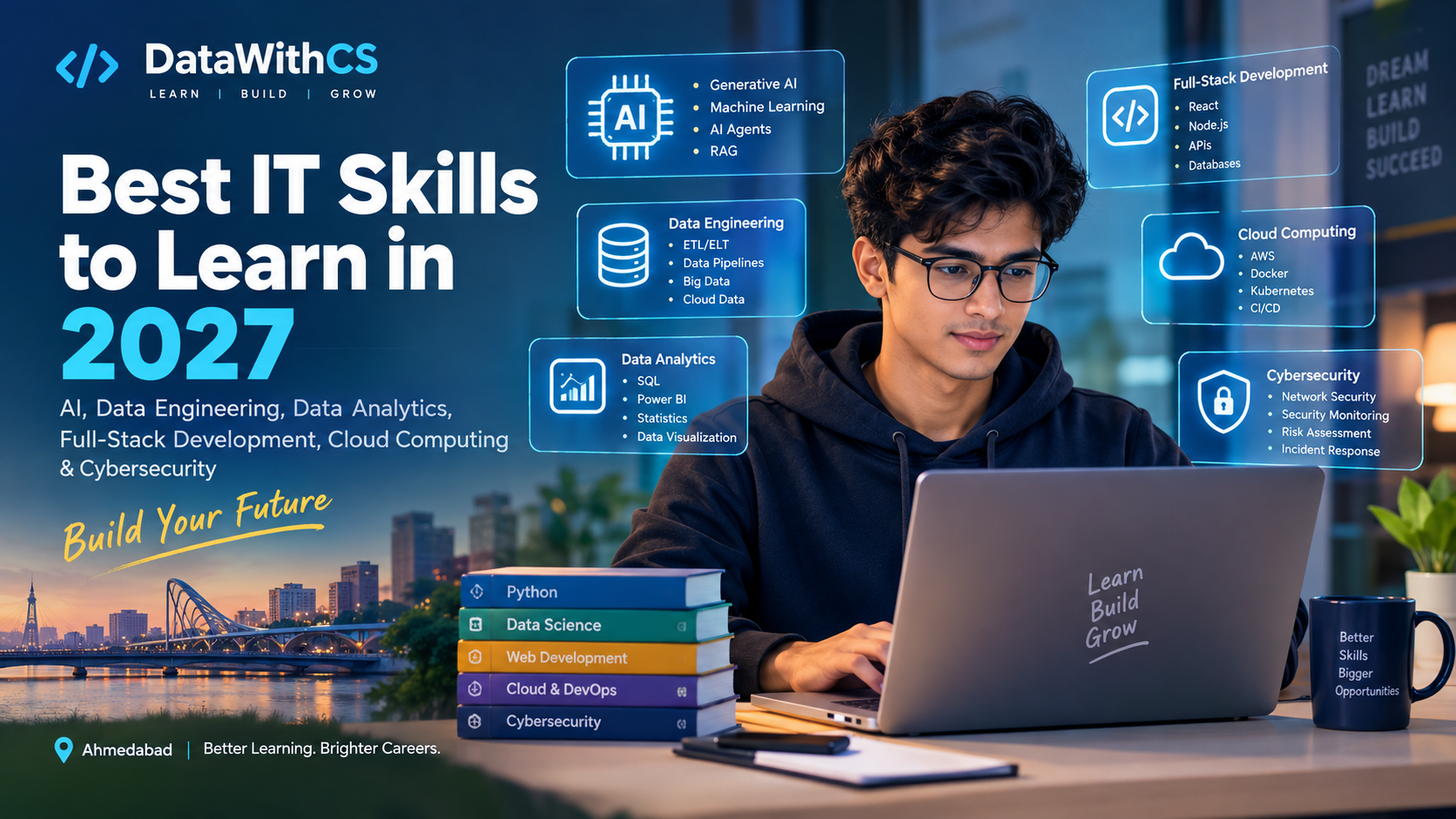
How AI Is Changing the IT Industry: Best Skills to Learn in 2027
The future of IT is evolving rapidly. Are you ready for 2027?
Artificial Intelligence (AI) is transforming how software is developed, data is analyzed, businesses operate, and technology professionals solve problems. From AI-powered coding assistants to intelligent applications and automated data pipelines, AI is changing the skills companies need and the way professionals work.
For students, freshers, and working professionals, this transformation brings exciting opportunities. Careers in Artificial Intelligence, Data Engineering, Data Analytics, Full-Stack Development, Cloud Computing, and Cybersecurity are evolving as businesses adopt new technologies.
But with so many technologies emerging, one question matters most: Which IT skills should you learn in 2027 to build a successful career?
In this blog, we will explore how AI is changing the IT industry, the most valuable skills to learn, and how you can prepare for future career opportunities.
1. How Is AI Changing the IT Industry?
AI is no longer limited to research laboratories or large technology companies. Organizations across industries are adopting AI to automate repetitive tasks, improve productivity, analyze information, and support decision-making.
Let's explore the major changes shaping the IT industry.
AI-Powered Software Development
AI coding assistants can help developers generate code, identify potential bugs, write test cases, and understand complex programming concepts.
Tasks that once required considerable manual effort can now be completed more efficiently. However, AI-generated code can still contain errors, security vulnerabilities, and inefficient logic.
Developers must continue to understand programming fundamentals, debugging, databases, software architecture, and application security.
What should you learn?
Focus on building complete applications, understanding how code works, solving programming problems, and using AI tools to improve productivity rather than depending on them entirely.
Data Analytics and Business Intelligence
Businesses generate enormous amounts of data, but raw data becomes valuable only when it can be transformed into meaningful insights.
AI is helping analysts summarize datasets, identify patterns, generate visualizations, and accelerate reporting.
However, organizations still need professionals who can validate data, understand business requirements, select the right metrics, and explain what the results mean.
Skills such as SQL, Python, Excel, Power BI, statistics, and data storytelling remain valuable foundations for a career in Data Analytics.
Automation in Data Engineering
Modern businesses depend on reliable data pipelines to collect, clean, transform, and deliver information.
AI can assist data engineers with writing SQL queries, documenting pipelines, troubleshooting errors, and identifying potential data-quality problems.
At the same time, companies need professionals who understand data architecture, ETL/ELT processes, distributed computing, cloud infrastructure, and data governance.
As businesses build increasingly sophisticated data platforms and AI applications, understanding how data moves through an organization becomes even more important.
The Rise of Generative AI Applications
Generative AI is enabling developers to build applications that can understand questions, summarize documents, retrieve information, and automate workflows.
Examples include:
- AI-powered customer support assistants.
- Intelligent document search systems.
- Internal company knowledge assistants.
- AI-powered educational applications.
- Automated business reporting tools.
- Personalized recommendation systems.
Building useful AI applications requires more than prompt engineering. Developers also need programming skills, APIs, databases, retrieval-augmented generation (RAG), evaluation techniques, and deployment knowledge.
How AI Is Changing IT Jobs
AI is changing the responsibilities associated with many IT roles. Rather than eliminating every job in a particular field, automation can change which tasks professionals perform and which skills employers value.
For example, developers may spend less time writing repetitive code and more time designing systems, reviewing AI-generated code, and solving complex problems.
Data Analysts may spend less time preparing routine reports and more time interpreting results, validating insights, and communicating recommendations.
The key takeaway: Learn how to solve real problems with technology, not just how to perform repetitive tasks.
2. Best IT Skills to Learn in 2027
There is no single technology that guarantees a successful IT career. The right choice depends on your interests, current knowledge, career goals, and the opportunities available in your target market.
However, the following skills are worth considering as you prepare for 2027.
1. Artificial Intelligence and Generative AI
Generative AI is becoming an important part of modern software development. Businesses are exploring ways to integrate AI into applications, automate workflows, and improve how people interact with information.
If you want to build a career in this field, start with programming fundamentals before moving to advanced AI technologies.
Skills to learn:
- Python programming.
- Machine learning fundamentals.
- Generative AI and Large Language Models (LLMs).
- Prompt engineering and structured outputs.
- AI APIs and application integration.
- Retrieval-Augmented Generation (RAG).
- Embeddings and vector databases.
- AI agents and tool calling.
- AI evaluation, security, and deployment.
Projects you can build:
- An AI-powered document question-answering application.
- A customer support chatbot connected to a knowledge base.
- An AI assistant that analyzes business reports.
- An intelligent application that automates a multi-step workflow.
Career opportunities: AI Engineer, Generative AI Developer, Machine Learning Engineer, and AI Application Developer.
Who should learn it?
Students, developers, programmers, and data professionals who enjoy building intelligent applications.
Pro tip: Learn Python, APIs, and basic software development before jumping directly into advanced AI frameworks.
2. Data Engineering
AI applications and business intelligence systems depend on high-quality, accessible, and reliable data.
Data Engineering focuses on building the infrastructure and pipelines that collect, transform, process, and deliver data for analytics, applications, and AI systems.
Skills to learn:
- SQL and advanced database queries.
- Python programming.
- ETL and ELT pipeline development.
- Data modeling and database design.
- Data warehouses and data lakes.
- Apache Spark and PySpark.
- Databricks and modern data platforms.
- Cloud platforms such as AWS, Azure, or Google Cloud.
- Workflow orchestration and pipeline monitoring.
- Data quality, testing, and governance.
Projects you can build:
- An end-to-end ETL pipeline using Python and SQL.
- A sales analytics data warehouse.
- A batch-processing pipeline using PySpark.
- A cloud-based data pipeline with automated quality checks.
- A data platform that prepares information for an AI application.
Career opportunities: Data Engineer, ETL Developer, Analytics Engineer, Cloud Data Engineer, and Data Platform Engineer.
Who should learn it?
People who enjoy programming, databases, automation, and building systems that process large volumes of data.
Pro tip: Build a strong foundation in SQL and Python first. Then learn data modeling, ETL/ELT, Spark, and a cloud data platform.
3. Data Analytics and Business Intelligence
Data Analytics remains an important career path because organizations need people who can translate information into actionable business insights.
AI can help with analysis, but businesses still need professionals who know what questions to ask, whether the data is reliable, and how the findings should influence decisions.
Skills to learn:
- Microsoft Excel.
- SQL and database querying.
- Python for data analysis.
- Pandas and NumPy.
- Statistics and analytical thinking.
- Power BI or Tableau.
- Data visualization and dashboard development.
- Key performance indicators (KPIs).
- Business reporting and storytelling.
- AI-assisted analytics and data validation.
Projects you can build:
- A sales performance dashboard.
- An HR analytics dashboard.
- A customer churn analysis project.
- A business performance report using SQL and Power BI.
- An end-to-end analysis of a real-world dataset.
Career opportunities: Data Analyst, Business Intelligence Analyst, Reporting Analyst, Product Analyst, and Business Analyst.
Who should learn it?
Students, freshers, working professionals, and career switchers who enjoy working with data and solving business problems.
Pro tip: Do not learn Power BI only to create attractive dashboards. Learn how to identify business problems, calculate meaningful metrics, and explain what the numbers reveal.
4. Full-Stack Web Development
Web development remains an important foundation for building digital products. AI is changing how developers write code, but organizations still need professionals who can design, build, test, secure, and maintain complete applications.
Full-stack development allows you to work on both the frontend and backend of an application.
Skills to learn:
- HTML and CSS.
- JavaScript and TypeScript.
- React.js.
- Node.js and Express.js.
- REST APIs.
- SQL and NoSQL databases.
- Authentication and authorization.
- Git and GitHub.
- Testing, debugging, and deployment.
- AI API integration.
Projects you can build:
- A full-stack learning management system.
- An e-commerce application.
- A job portal with user authentication.
- A real-time dashboard connected to a backend API.
- An AI-powered web application.
Career opportunities: Full-Stack Developer, Frontend Developer, Backend Developer, Software Engineer, and AI Application Developer.
Who should learn it?
Students who enjoy programming, building websites, and turning ideas into working digital products.
Pro tip: AI tools can help you generate code, but you must understand the code you use. Focus on JavaScript fundamentals, backend logic, databases, authentication, and deployment.
5. Cloud Computing and DevOps
Modern applications increasingly depend on cloud infrastructure for computing, storage, networking, and deployment.
Cloud Computing and DevOps skills help organizations deliver software reliably, scale applications, automate deployments, and manage infrastructure efficiently.
Skills to learn:
- AWS, Microsoft Azure, or Google Cloud.
- Linux fundamentals.
- Networking basics.
- Docker and containerization.
- CI/CD pipelines.
- Infrastructure as Code.
- Monitoring and logging.
- Kubernetes fundamentals.
- Cloud security and access management.
Projects you can build:
- Deploy a web application to the cloud.
- Containerize a full-stack application using Docker.
- Create an automated CI/CD pipeline.
- Deploy a data pipeline on a cloud platform.
- Configure monitoring and logging for an application.
Career opportunities: Cloud Engineer, DevOps Engineer, Site Reliability Engineer, and Cloud Platform Engineer.
Who should learn it?
Developers, system administrators, infrastructure professionals, and engineers interested in automation and scalable systems.
Pro tip: Start with Linux, networking, Git, and one cloud platform. Learn Kubernetes after understanding containers and deployment fundamentals.
6. Cybersecurity
As businesses adopt cloud platforms, AI applications, and interconnected systems, protecting data and digital infrastructure remains essential.
Cybersecurity professionals help organizations identify vulnerabilities, manage risks, secure applications, and respond to incidents.
Skills to learn:
- Networking and operating system fundamentals.
- Security principles and access control.
- Web application security.
- Identity and access management.
- Cloud security.
- Security monitoring and incident response.
- Vulnerability assessment.
- Secure software development.
- AI security and privacy fundamentals.
Projects you can build:
- A security assessment of your own test application.
- A home lab for learning network monitoring.
- A demonstration of secure authentication.
- A security monitoring dashboard using sample data.
- A threat-modeling exercise for an AI application.
Career opportunities: Security Analyst, SOC Analyst, Application Security Engineer, Cloud Security Engineer, and Security Engineer.
Who should learn it?
People interested in networks, systems, investigation, risk analysis, and protecting digital infrastructure.
Pro tip: Develop networking and operating system fundamentals before moving to advanced security tools.
3. Which IT Career Path Should You Choose?
Trying to learn every emerging technology at once can make it difficult to develop meaningful expertise.
Instead, choose a primary specialization and build complementary skills around it.
If You Want to Become a Data Analyst
Start with Excel, SQL, statistics, and Power BI. Add Python for data analysis and learn how to communicate insights through practical projects.
Your priority should be understanding data, solving business problems, and explaining your findings clearly.
If You Want to Become a Data Engineer
Start with Python, SQL, databases, and data modeling. Progress to ETL/ELT pipelines, data warehouses, Apache Spark, Databricks, and cloud data platforms.
Your priority should be learning how to build reliable data systems that work beyond a classroom example.
If You Want to Become a Generative AI Developer
Start with Python, APIs, and software development fundamentals. Learn how LLMs work at an application level, then explore RAG, vector databases, AI agents, evaluation, and deployment.
Your priority should be building useful AI applications rather than learning tools without understanding their purpose.
If You Want to Become a Full-Stack Developer
Start with HTML, CSS, JavaScript, and Git. Progress to React, Node.js, databases, APIs, authentication, and deployment.
Your priority should be building complete, functional applications and understanding how their components work together.
If You Want to Become a Cloud or DevOps Engineer
Start with Linux, networking, Git, and cloud fundamentals. Then learn Docker, CI/CD, monitoring, and infrastructure automation.
Your priority should be understanding how applications are deployed, operated, and maintained reliably.
If You Want to Build a Career in Cybersecurity
Start with networking, Linux, operating systems, and security fundamentals. Progress to security monitoring, vulnerability assessment, cloud security, and incident response.
Your priority should be learning how systems fail, how vulnerabilities arise, and how to protect systems responsibly.
Remember, you do not need to master every skill before applying for opportunities. Build strong fundamentals, develop relevant projects, and expand your expertise as your career progresses.
4. A Practical Six-Month Roadmap to Prepare for 2027
You do not need to learn every technology in six months. You need a structured plan that helps you build the right foundations and demonstrate your abilities.
Month 1: Build Your Foundations
Focus on programming fundamentals, logical thinking, Git, and problem-solving.
Depending on your chosen career path:
- Data Analytics: Learn Excel, SQL basics, and statistics.
- Data Engineering: Learn Python, SQL, and database fundamentals.
- Full-Stack Development: Learn HTML, CSS, JavaScript, and Git.
- AI Development: Learn Python, APIs, and programming concepts.
Goal: Understand the fundamentals well enough to solve basic problems independently.
Month 2: Learn Your Core Technologies
Start working with the tools used in your chosen specialization.
For example, Data Analysts can focus on SQL, Power BI, and data cleaning. Data Engineers can explore ETL/ELT and data modeling. Full-stack developers can learn React and backend development, while aspiring AI developers can explore LLM APIs.
Goal: Build small applications, dashboards, or data workflows.
Month 3: Work on Real-World Projects
Move beyond tutorials and start building projects that solve specific problems.
Choose a dataset or define an application requirement. Write code, test your work, document your decisions, and learn how to fix errors independently.
Goal: Complete at least one project that demonstrates your core skills.
Month 4: Integrate AI into Your Workflow
Learn how AI tools can improve productivity without replacing your understanding of the underlying technology.
Practice using AI to:
- Generate and review code.
- Explain errors and debugging approaches.
- Draft test cases.
- Assist with documentation.
- Explore datasets and identify patterns.
- Build a small AI-powered feature.
Goal: Understand where AI helps, where it fails, and how to validate its output.
Month 5: Build an End-to-End Project
Create a project that combines several technologies from your chosen path.
Examples include a Power BI dashboard connected to a SQL database, an ETL pipeline using Python, a PySpark data-processing workflow, a full-stack application with authentication, or an AI-powered document assistant.
Maintain your code on GitHub and write a clear README explaining the problem, technologies, implementation, and results.
Goal: Demonstrate that you can build something useful, not just follow a tutorial.
Month 6: Prepare for Job Opportunities
Focus on presenting your skills and preparing for technical interviews.
Your preparation should include:
- Updating your resume.
- Improving your LinkedIn profile.
- Organizing your GitHub portfolio.
- Practicing SQL, programming, and role-specific interview questions.
- Revising core technical concepts.
- Applying for suitable internships and jobs.
- Practicing how to explain your projects and technical decisions.
Goal: Demonstrate your skills confidently and explain the value of your work.
This roadmap is a starting point, not a guarantee of employment. Your progress will depend on your starting level, study time, project quality, and target roles.
5. Should You Learn AI First or Master the Fundamentals?
One of the biggest questions students ask is whether they should start directly with AI or first learn traditional IT skills.
For most beginners, a foundation-first approach is more effective.
Someone interested in Generative AI should understand Python, APIs, data handling, and basic software development before building complex AI applications.
Someone interested in Data Engineering should learn SQL, Python, and data modeling before moving to distributed processing and advanced cloud platforms.
Similarly, aspiring full-stack developers should understand JavaScript, databases, backend logic, and web application fundamentals before depending heavily on AI coding tools.
A useful learning sequence is:
Fundamentals → Core Technologies → Practical Projects → AI Integration → Deployment and Portfolio
This approach helps you understand not only how to use a tool but also why it works, when to use it, and how to troubleshoot it when something goes wrong.
6. Skills That Will Matter Beyond Knowing Tools
Technology changes quickly. Frameworks and platforms that are popular today may evolve significantly over the next few years.
That is why technical tools should be supported by durable professional skills.
Problem-Solving
Employers value professionals who can understand a problem, break it into manageable parts, evaluate possible solutions, and deliver a working result.
Critical Thinking
AI-generated answers and code can contain errors. You need to verify outputs, evaluate assumptions, test results, and understand the limitations of the technology you use.
Communication
Technical professionals must explain their work to colleagues, managers, clients, and non-technical stakeholders. Clear communication helps turn technical expertise into business value.
Business Understanding
Knowing how a technology works is useful. Knowing when to use it, why it matters, and how it helps a business is even more valuable.
Continuous Learning
The IT industry will continue to evolve. Professionals who can learn new technologies, adapt to changing requirements, and apply their knowledge to real problems will be better prepared for that change.
Remember: AI tools can increase productivity, but your ability to think, evaluate, and make sound technical decisions remains important.
7. Why Practical Learning Matters More Than Ever
As AI makes it easier to generate sample code, explanations, and tutorial projects, simply completing courses may not be enough to demonstrate your capabilities.
Employers need evidence that you can apply your knowledge to real problems.
Practical learning helps you understand:
- How to translate requirements into a technical solution.
- How to work with imperfect data.
- How to debug errors and test your work.
- How to use version control.
- How to explain your technical decisions.
- How to build, deploy, and maintain a project.
When choosing a learning program, look for structured training, hands-on assignments, mentor feedback, real-world projects, and interview preparation.
Evaluate placement-related claims carefully. Ask about the support provided, eligibility requirements, recent outcomes, and whether any employment guarantee is documented.
The objective is not simply to collect certificates. It is to develop skills that you can demonstrate in interviews and apply in the workplace.
8. Build Your Future with DataWithCS
At DataWithCS, our focus is on helping learners develop practical technology skills and prepare for career opportunities in the evolving IT industry.
Whether you are a student exploring your first technical role, a fresher preparing for interviews, or a working professional looking to upskill, choosing the right learning path is an important first step.
Our learning focus includes key areas of the modern technology ecosystem.
Data Analytics
Develop practical skills in SQL, Excel, Python, Power BI, data visualization, and business reporting. Learn how to transform raw data into meaningful insights through hands-on projects.
Data Engineering
Build your understanding of Python, SQL, ETL/ELT pipelines, data transformation, and modern data engineering technologies. Learn how reliable data systems support analytics and AI applications.
Full-Stack Development
Explore frontend and backend development, APIs, databases, and application development. Build practical projects that help you understand how complete software applications work.
AI and Emerging Technologies
Explore Generative AI fundamentals and learn how AI can be integrated into software and data workflows to create useful, intelligent applications.
Our approach emphasizes structured learning, practical projects, interview preparation, and career-oriented skill development.
Explore the courses available through DataWithCS and choose a program aligned with your interests and career goals.
Visit DataWithCS: https://datawithcs.com/courses
Conclusion: The Future Belongs to Those Who Keep Learning
AI is changing the IT industry, but the future is not simply about learning AI tools. It is about understanding technology deeply enough to use those tools effectively.
In 2027, opportunities will continue to emerge across Data Analytics, Data Engineering, Full-Stack Development, Generative AI, Cloud Computing, and Cybersecurity. The demand for particular skills will vary by industry, location, experience, and business needs, so no single technology guarantees a job or a high salary.
The most practical strategy is to choose a specialization, strengthen your fundamentals, build meaningful projects, and learn how AI can help you solve real-world problems.
You do not need to master every technology to build a successful career.
You need to start with the right skills, practice consistently, and keep improving.
Your future in IT starts with what you choose to learn today.
Ready to take the next step? Explore DataWithCS and start building the skills that align with your career goals.