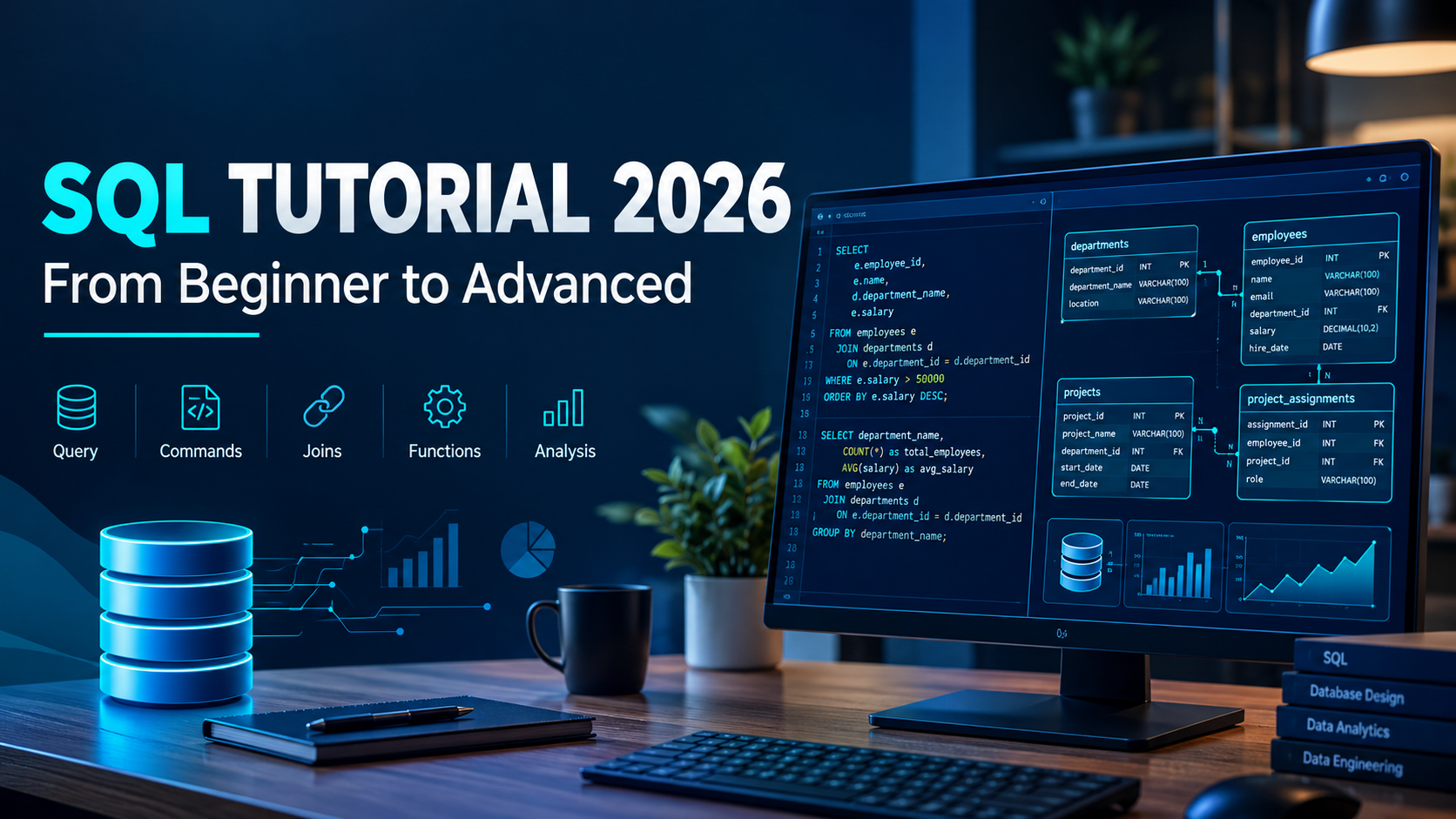
SQL Tutorial 2026: Complete Guide to SQL for Beginners – From Basics to Advanced
Introduction to SQL
SQL (Structured Query Language) is one of the most important skills for anyone looking to build a career in Data Analytics, Data Science, Data Engineering, or Database Management.
Almost every organization works with data. Whether it is customer information, sales transactions, employee records, financial reports, or website activity, businesses store enormous amounts of information in databases.
SQL helps professionals retrieve, manage, analyze, and manipulate this data efficiently.
If you are planning to become a Data Analyst or Data Engineer, learning SQL is an essential step in your career journey.
In this complete guide, we will cover SQL from beginner to advanced level with practical examples.
1. What Is SQL?
SQL stands for Structured Query Language.
It is a standard programming language used to communicate with relational databases.
SQL allows users to:
- Retrieve data from databases.
- Insert new records.
- Update existing information.
- Delete records.
- Create and manage database structures.
- Analyze large datasets.
- Generate reports for business decision-making.
Example:
Imagine an organization has an employee database containing thousands of employees.
You want to find all employees working in the IT department.
You can use SQL:
SELECT *
FROM Employees
WHERE Department = 'IT';
This query retrieves all employees belonging to the IT department.
2. What Is a Database?
A database is an organized collection of data that can be stored, accessed, managed, and updated.
For example, an e-commerce company may maintain databases for:
- Customers
- Products
- Orders
- Payments
- Employees
A relational database stores information in tables consisting of rows and columns.
Important database concepts:
- Table: Stores data in rows and columns.
- Row: Represents one record.
- Column: Represents a specific attribute.
- Primary Key: Uniquely identifies each record.
- Foreign Key: Establishes relationships between tables.
3. Popular SQL Databases
SQL is supported by several database management systems.
Some popular options include:
- MySQL
- PostgreSQL
- Microsoft SQL Server
- Oracle Database
- SQLite
- Snowflake
Each database has its own features and implementation differences, but the fundamental SQL concepts are largely transferable.
4. Types of SQL Commands
SQL commands are commonly divided into five categories.
A. DDL – Data Definition Language
DDL commands define and modify database structures.
Important commands:
- CREATE
- ALTER
- DROP
- TRUNCATE
Example:
CREATE TABLE Employees (
    EmployeeID INT PRIMARY KEY,
    Name VARCHAR(100),
    Department VARCHAR(50),
    Salary DECIMAL(10,2)
);
B. DML – Data Manipulation Language
DML commands modify the data stored inside tables.
Important commands:
- INSERT
- UPDATE
- DELETE
Example:
INSERT INTO Employees
(EmployeeID, Name, Department, Salary)
VALUES
(101, 'Rahul', 'IT', 45000);
C. DQL – Data Query Language
DQL is used to retrieve information from databases.
Important command:
- SELECT
Example:
SELECT Name, Salary
FROM Employees;
D. DCL – Data Control Language
DCL commands manage database permissions and access.
Important commands:
- GRANT
- REVOKE
E. TCL – Transaction Control Language
TCL commands manage database transactions.
Important commands:
- COMMIT
- ROLLBACK
- SAVEPOINT
5. Basic SQL Queries Every Beginner Should Know
SELECT Statement
Used to retrieve data from a table.
SELECT * FROM Employees;WHERE Clause
Filters records based on a condition.
SELECT *
FROM Employees
WHERE Salary > 40000;
ORDER BY
Sorts records in ascending or descending order.
SELECT *
FROM Employees
ORDER BY Salary DESC;
DISTINCT
Returns unique values.
SELECT DISTINCT Department
FROM Employees;
LIMIT
Restricts the number of returned records. Syntax varies across database systems.
SELECT *
FROM Employees
LIMIT 5;
AND, OR, NOT
These operators combine or reverse filtering conditions.
SELECT *
FROM Employees
WHERE Department = 'IT'
AND Salary > 40000;
BETWEEN
Filters values within a specified range.
SELECT *
FROM Employees
WHERE Salary BETWEEN 30000 AND 60000;
LIKE
Searches for a specified pattern.
SELECT *
FROM Employees
WHERE Name LIKE 'A%';
6. SQL Aggregate Functions
Aggregate functions perform calculations on multiple records and return a single result.
Important aggregate functions:
- COUNT(): Counts records.
- SUM(): Calculates the total.
- AVG(): Calculates the average.
- MIN(): Returns the minimum value.
- MAX(): Returns the maximum value.
Example:
SELECT
    COUNT(*) AS TotalEmployees,
    AVG(Salary) AS AverageSalary,
    MAX(Salary) AS HighestSalary,
    MIN(Salary) AS LowestSalary
FROM Employees;
These functions are frequently used in business reporting and Data Analytics.
7. GROUP BY and HAVING
GROUP BY
GROUP BY groups records with the same values.
Example: Find the total employees in each department.
SELECT
    Department,
    COUNT(*) AS TotalEmployees
FROM Employees
GROUP BY Department;
HAVING
HAVING filters grouped results based on aggregate conditions.
SELECT
    Department,
    AVG(Salary) AS AverageSalary
FROM Employees
GROUP BY Department
HAVING AVG(Salary) > 40000;
Difference: WHERE filters individual rows before grouping, while HAVING filters groups after aggregation.
8. SQL Joins Explained
SQL Joins are used to combine data from multiple tables based on related columns.
Suppose you have two tables:
Employees
- EmployeeID
- EmployeeName
- DepartmentID
Departments
- DepartmentID
- DepartmentName
INNER JOIN
Returns records that have matching values in both tables.
SELECT
    E.EmployeeName,
    D.DepartmentName
FROM Employees E
INNER JOIN Departments D
ON E.DepartmentID = D.DepartmentID;
LEFT JOIN
Returns all records from the left table and matching records from the right table.
SELECT
    E.EmployeeName,
    D.DepartmentName
FROM Employees E
LEFT JOIN Departments D
ON E.DepartmentID = D.DepartmentID;
RIGHT JOIN
Returns all records from the right table and matching records from the left table.
FULL OUTER JOIN
Returns matching and non-matching records from both tables.
CROSS JOIN
Returns the Cartesian product of two tables.
SELF JOIN
Joins a table with itself.
Understanding joins is particularly important for Data Analyst and Data Engineer interviews.
9. SQL Subqueries
A subquery is a query written inside another SQL query.
Example: Find employees earning more than the average salary.
SELECT *
FROM Employees
WHERE Salary > (
    SELECT AVG(Salary)
    FROM Employees
);
Subqueries can be used with SELECT, FROM, WHERE, and other SQL operations.
10. SQL Constraints
Constraints are rules applied to database columns to maintain data accuracy and integrity.
Important SQL constraints include:
- PRIMARY KEY
- FOREIGN KEY
- UNIQUE
- NOT NULL
- CHECK
- DEFAULT
Example:
CREATE TABLE Students (
    StudentID INT PRIMARY KEY,
    Name VARCHAR(100) NOT NULL,
    Email VARCHAR(150) UNIQUE,
    Age INT CHECK (Age >= 18)
);
11. SQL Window Functions
Window functions perform calculations across a group of related rows without combining them into a single result.
They are widely used in advanced analytics.
Important window functions:
- ROW_NUMBER()
- RANK()
- DENSE_RANK()
- LAG()
- LEAD()
- SUM() OVER()
- AVG() OVER()
Example:
SELECT
    EmployeeName,
    Department,
    Salary,
    RANK() OVER (
        PARTITION BY Department
        ORDER BY Salary DESC
    ) AS SalaryRank
FROM Employees;
This query ranks employees based on salary within each department.
12. SQL CASE Statement
CASE allows you to apply conditional logic inside SQL queries.
Example:
SELECT
    EmployeeName,
    Salary,
    CASE
        WHEN Salary >= 60000 THEN 'High Salary'
        WHEN Salary >= 40000 THEN 'Medium Salary'
        ELSE 'Low Salary'
    END AS SalaryCategory
FROM Employees;
CASE is useful for creating business categories, classifications, and conditional reports.
13. SQL Views
A View is a virtual table based on the result of a SQL query.
Example:
CREATE VIEW IT_Employees AS
SELECT EmployeeID, EmployeeName, Salary
FROM Employees
WHERE Department = 'IT';
You can retrieve data from the view:
SELECT * FROM IT_Employees;Views help simplify complex queries and control how users access data.
14. SQL Stored Procedures
A Stored Procedure is a reusable collection of SQL statements stored in the database.
Stored procedure syntax varies across database platforms.
Example (SQL Server):
CREATE PROCEDURE GetEmployees
AS
BEGIN
    SELECT * FROM Employees;
END;
Execute the procedure:
EXEC GetEmployees;15. SQL Indexes
Indexes improve the speed of data retrieval by helping the database locate records efficiently.
Example:
CREATE INDEX idx_employee_name
ON Employees(EmployeeName);
However, indexes also require storage and can add overhead to INSERT, UPDATE, and DELETE operations. They should be created based on actual query patterns.
16. SQL Performance Optimization
Writing a query is one thing. Writing an efficient query is another.
Important SQL optimization practices include:
- Avoid SELECT * when only specific columns are needed.
- Use appropriate indexes.
- Filter unnecessary records early.
- Avoid unnecessary joins.
- Understand execution plans.
- Use suitable data types.
- Avoid unnecessary subqueries.
- Analyze query performance.
- Use partitioning where appropriate for large datasets.
SQL performance optimization is an important skill for experienced Data Analysts and Data Engineers.
17. SQL for Data Analysts
SQL is one of the most important tools in a Data Analyst's toolkit.
A Data Analyst uses SQL to:
- Extract data from databases.
- Clean and transform datasets.
- Identify business trends.
- Calculate KPIs.
- Analyze customer behavior.
- Generate sales reports.
- Prepare data for Power BI dashboards.
Example: Business Sales Analysis
SELECT
    ProductCategory,
    SUM(SalesAmount) AS TotalSales
FROM Sales
GROUP BY ProductCategory
ORDER BY TotalSales DESC;
This query identifies the highest-performing product categories based on total sales.
18. SQL for Data Engineers
Data Engineers use SQL for more advanced data operations.
Common applications include:
- Data extraction.
- Data transformation.
- ETL and ELT pipelines.
- Data warehouse development.
- Data modeling.
- Data quality checks.
- Query optimization.
- Large-scale analytical processing.
SQL is also extensively used in platforms such as Snowflake, Databricks, BigQuery, and Amazon Redshift.
19. SQL Interview Questions for Beginners
Here are some important SQL interview questions to practice:
- What is SQL?
- What is the difference between SQL and MySQL?
- What is a Primary Key?
- What is a Foreign Key?
- What is the difference between DELETE, DROP, and TRUNCATE?
- What is the difference between WHERE and HAVING?
- What are SQL Joins?
- What is the difference between INNER JOIN and LEFT JOIN?
- What is a Subquery?
- What are Aggregate Functions?
- What is the difference between UNION and UNION ALL?
- What are Window Functions?
- What is the difference between RANK and DENSE_RANK?
- What is an Index?
- How can you find duplicate records in SQL?
- How do you find the second-highest salary?
- What is a Common Table Expression (CTE)?
- What is the difference between a CTE and a Subquery?
- What is a Stored Procedure?
- How do you optimize a slow SQL query?
20. How to Learn SQL: A Practical Roadmap for Beginners
If you are starting your SQL journey, follow this structured learning path.
Step 1: Database Fundamentals
Understand databases, tables, rows, columns, keys, and relationships.
Step 2: Basic SQL Queries
Practice SELECT, WHERE, ORDER BY, DISTINCT, AND, OR, and LIKE.
Step 3: Data Manipulation
Learn INSERT, UPDATE, DELETE, and table creation.
Step 4: Aggregate Functions
Practice COUNT, SUM, AVG, MIN, MAX, GROUP BY, and HAVING.
Step 5: SQL Joins
Understand INNER JOIN, LEFT JOIN, RIGHT JOIN, FULL OUTER JOIN, and SELF JOIN.
Step 6: Advanced SQL
Learn subqueries, CTEs, CASE statements, views, and window functions.
Step 7: Real-World Projects
Build practical projects such as:
- E-commerce Sales Analysis
- Employee Salary Analysis
- Customer Segmentation
- Banking Transaction Analysis
- Retail Business Performance Analysis
Step 8: Interview Preparation
Solve SQL interview questions and practice writing queries independently.
Conclusion
SQL is more than just a database language. It is an essential skill for working with data and making business decisions.
Whether you want to become a Data Analyst, Data Engineer, Data Scientist, or Business Intelligence Developer, a strong understanding of SQL will help you throughout your career.
Start with basic queries, practice joins and aggregate functions, and gradually move toward advanced SQL concepts such as CTEs and Window Functions.
Remember: The best way to learn SQL is by writing queries and solving real-world business problems.
Build your data skills with DataWithCS. Learn, practice, and prepare for industry-oriented opportunities.